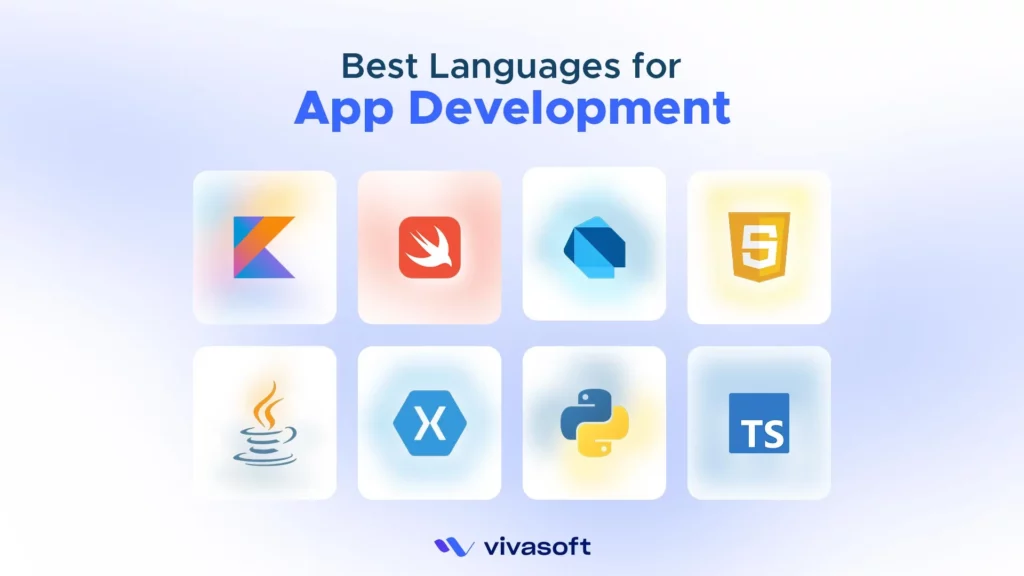
Modern mobile app development advances with some top-performing programming languages that have transformed the complete development process. With all the evolving language ecosystems, developers now build faster and more cost-efficient apps than ever.
Even some modern trends, such as Kotlin’s coroutine usage or Flutter’s cross-platform functionalities, have opened many more new paths to stand out in the crowded market. The global mobile app market has already reached $330.61 billion in 2025. It is set to reach around $1,103.48 billion by 2034.
Overall, success depends on choosing the right programming language for your next mobile app development project. More importantly, it directly influences development speed, overall cost, and the long-term product performance and scalability.
In this article, you will find the list of the 10 best programming languages for mobile app development.
How we selected the top languages for mobile app development:
- Runtime performance and memory efficiency.
- Strong community support and resources availability.
- Overall development cost and timeline.
- Constantly updated with modern features and support future trends.
- Long-term maintainability and growth.
Key Takeaways
- The choice of programming language directly impacts cost, speed, performance, and scalability of your app development project.
- Kotlin and Java are the official and most reliable languages for Android development, with Kotlin now being Google’s top recommendation.
- Swift is the best language suggestion for iOS app development, offering native performance.
- Dart, along with Flutter, supports cross-platform development that helps companies reduce costs and accelerate time-to-market.
- Python is not ideal for native mobile UI but is thriving for backend development and quick prototyping.
Top 10 Programming Languages for Mobile App Development
This comparison table highlights target platforms, learning difficulties, and performance levels to help you quickly decide the best programming language for your next mobile app development project.
| Language | Platform | Difficulty | Performance |
|---|---|---|---|
| Kotlin | Android | Moderate | Native-level |
| Java | Android | Intermediate | Native-level |
| Swift | iOS | Moderate | Native-level |
| Objective-C | iOS | Advanced | Native-level |
| Dart (Flutter) | Cross-platform | Beginner-friendly | Near-native |
| JavaScript (React Native) | Cross-platform | Beginner-friendly | Above average |
| C# (Xamarin/.NET MAUI) | Cross-platform | Moderate | Near-native |
| Python | Backend/Cross-platform | Beginner-friendly | Medium |
| TypeScript | Cross-platform | Beginner-friendly | Medium |
| Ruby/PHP | Backend | Beginner-friendly | Medium |
For Native App Development
Here are the proven languages that power the world’s fastest and most reliable mobile and iOS applications.
Android
The best Android app language choices are Kotlin and Java. Both are officially supported, with Kotlin being Google’s primary recommendation.
1. Kotlin
Kotlin is an open-source statically typed programming language that is designed based on the extensive experience building large-scale developer tools. It is developed by JetBrains and targets Android as a primary platform rather than a secondary runtime. Google officially announced Kotlin as its top recommended language to build Android apps in 2019. It generates JVM bytecode that helps run the apps directly on Android without any additional layers.
Key Features
Kotlin reduces the debugging time with built-in null safety mechanisms that detect errors before runtime. Other notable features include:
- Coroutines for async operations: This offers a concurrency design pattern used for asynchronous programming, where you can write code in an easy-to-read style.
- Extension functions: You will get new functionality in existing classes without inheritance.
- Compatible with Java: You can use both Java and Kotlin in one app without any failure.
| Pros | Cons |
|---|---|
| Less boilerplate logic. | Compilation is slightly slower than Java. |
| Strong crash prevention. | Smaller developer community than Java. |
| Official Google Android support. | Risk of Coroutine misuse. |
| Strong IDE support in Android Studio. | Fewer learning resources available. |
| Modern syntax increases readability. |
Note: Top companies like McDonald’s and Philips are already using Kotlin Multiplatform in developing their large-scale apps. It allows them to share core business logic across Android and iOS while improving overall development efficiency.
2. Java
Java is listed as one of the top-rated programming languages for Android. It is widely used for its stability, maturity, and long-term support. This language mainly runs on the JVM, which turns the bytecode into platform-based instructions at runtime. Millions of apps still rely on Java as their core language, just due to its amazing stability and advanced offering.
More notably, Java offers superior backward compatibility. The apps you built 10 years ago still run on modern Android devices without major modification. Moreover, the language works directly with the Android SDK. You will get full access to device features like the camera and GPS.
Key Features
Some of the top core offerings by Java include:
- Object-Oriented System: Java structures code through classes and objects. It makes the large codebases easier to manage.
- Rich Library Ecosystem: You get large built-in libraries for critical processes. Such as networking, data structures, and UI components.
- Strong Type System: Java offers strict type checking at compile time that helps detect errors before runtime.
| Pros | Cons |
|---|---|
| Massive developer community. | Slower compilation time compared to Kotlin. |
| Built-in enterprise-level security features. | Limited modern language features. |
| Huge library ecosystem. | |
| Strong backward compatibility. |
iOS
Here are the best languages for iOS app development you should know about:
3. Swift
Swift is a modern programming language for app development developed by Apple. It is designed to be used as an alternative to Objective-C for iOS development. It works directly with Apple’s SDKs. By these, developers can interact directly with native APIs without any extra layers. The best Swift advantage is that it even compiles to optimized native code, which makes the app responsive and super fast even on older devices.
Key Features
Swift offers pre-run safety that detects bugs before your app even runs.
- Protocol-oriented programming: You have the flexibility to design architectures without heavy class inheritance chains.
- SwiftUI integration: It helps create the app’s user interface using a declarative style.
- ABI Stability: The core library and interfaces offer compatibility across iOS versions and offer long-term app maintenance.
- Automatic Reference Counting or ARC: It offers ARC to automatically manage memory usage. There is no need for manual memory management.
| Pros | Cons |
|---|---|
| Offers Native performance on Apple devices. | limited backward compatibility. |
| Modern syntax reduces development time. | Incomplete cross-platform support. |
| Strong type safety. | |
| Excellent tooling support. | |
| Long-term platform stability. |
Note: Swift is no longer limited to apps on phones and computers. With newly launched Embedded Swift, the language can now be used for IoT devices, embedded controllers, and robotics. This version removes heavy runtime features, making Swift more suitable for resource-constrained environments.
4. Objective-C
Objective-C has been powering iOS development for decades, introduced by Brad Cox and Tom Love. The language was designed as a superset of C, including a special Smalltalk-style syntax.
Developers can change or interact with parts of the program even in the app runtime. It works directly with Apple’s foundational frameworks, such as UIKit. Many established frameworks and libraries are built on this language to power their core functionalities.
Key Features
Objective-C offers dynamic runtime features, providing a level of flexibility that many other compiled languages lack. Also, you will get:
- Categories for code organization: The categories let you extend existing classes with new methods without subclassing. There’s no need to modify the original source code.
- Compatible with C/C++: It easily integrates with native libraries that are written in C/C++.
- Object-Oriented Programming: Objective-C exclusively supports OOP principles through classes and objects.
| Pros | Cons |
|---|---|
| Runtime flexibility for advanced patterns. | Verbose syntax slows development pace. |
| Stable but largely legacy, with limited new feature development. | Fewer modern language features are included. |
| Deep integration with C libraries. | |
| Comprehensive documentation resources are available. |
For Cross-Platform App Development
Cross-platform frameworks have revolutionized everything in the development world through a single codebase development. Here are the best cross-platform language choices that offer superior development speed with quality.
5. Dart (with Flutter)
Google introduced Dart in October 2011 as a programming language; Flutter, which uses Dart, was released later in 2017 The motive is to run the applications on any platform. Whether it is iOS, Android, web, or desktop, all from a single codebase. That means you will write the UI code once and then deploy it across multiple platforms without separate native implementations.
This language specifically turns to the native ARM code for mobile devices. In mobile app development, Dart handles the app’s logic. Whereas Flutter works on the UI using its own rendering engine instead of the native toolkits.
Key Features
Dart offers hot reload features that let developers make instant code changes without changing anything big.
- Ahead-of-time compilation: It compiles to direct machine code and offers performance like a native app.
- Sound Null safety: The language offers sound null safety. It helps prevent errors that result from unintentional access to variables.
- Async-await syntax: It allows you to write the code asynchronously, which reads like synchronous logic without the set callbacks.
| Pros | Cons |
|---|---|
| Single codebase apps. | Larger app size than native. |
| Fast UI iteration. | Limited native module access requires plugins. |
| Consistent cross-platform UI. | |
| Strong Google backing. | |
| Smooth 60fps UI animations. |
Note: With recent Flutter releases, Google introduced Impeller, a custom rendering engine. It offers smoother and more consistent animations with predictable GPU performance. This allows Flutter app development companies to build graphics-rich Flutter applications more efficiently.
6. JavaScript (with React Native)
JavaScript offers an innovative way in mobile app development, primarily through frameworks like React Native and Ionic. Though it isn’t a native mobile language itself, it handles the business logic, starting from the app’s functionality to data handling.
The JavaScript code runs within a dedicated runtime environment that integrates seamlessly with the native app. The best part, you will get access to millions more npm packages that give you quick solutions for adding or editing features.
Key Features
JavaScript is a universal programming language used to build multi-platform applications and improve development effectively.
- Live reload during development: It offers to change anything immediately without recompiling or reinstalling your application.
- Advanced Functions: Each of the functions works as an object. You can store a function in a variable or even pass it to another function.
- Cross-Browser Compatibility: The language is compatible with all modern browsers, ensuring consistent functionality.
- Async Processing: It supports asynchronous operations that help handle time-consuming tasks without blocking the app.
| Pros | Cons |
|---|---|
| A vast developer community worldwide is available. | It is inherently single-threaded (one task execution at a time). |
| Fast prototyping options. | Vulnerable to XSS and other client-side attacks. |
| Lower hiring costs for developers. | |
| Extensive third-party library support. |
7. C# with Xamarin (with .NET MAUI)
Xamarin is a popular open-source platform. It was designed to build cross-platform native apps. The framework turns the single C# codebase into native code and ensures super-fast performance on any device.
Developers can share up to 90% of their code across platforms through a common business logic layer, offering development efficiency. But Microsoft ended support for Xamarin on May 1, 2024. Existing apps continue to run, but no new updates are provided.
So, now developers are preferring .NET MAUI and .NET to streamline app structure. These also bring multiple platforms together under a single project model. This makes it possible to access device-level features whenever needed.
Key Features
- Coding with C#: Xamarin offers actual native performance and full access to platform-specific APIs.
- Visual Studio integration: Through a single comprehensive IDE environment, developers can easily debug, test, and deploy.
- .NET Standard libraries: They allow developers to reuse existing .NET code in mobile projects.
- Xamarin.Essentials: A library to easily access common device features without writing code manually such as GPS or sensors.
| Pros | Cons |
|---|---|
| Strong type safety reduces bugs. | Limited access to open-source libraries. |
| Native performance output. | Creates complexity to build apps with heavy graphics. |
| High code reuse. | |
| Robust backend integration. |
Other Considerations
Here are some alternative language considerations if your project does not require native or cross-platform mobile languages. These are best suited for specific scenarios such as backend development or AI integration.
8. Python
Python mainly enters the mobile app development world through some specialized tools. Such as Kivy, BeeWare, and other frameworks. Though it is not a native language itself, the language is used focusing on increasing productivity and logic reuse.
Around 87% of data scientists and ML engineers use Python as their primary language due to its extensive libraries and ecosystem support. Even the language is efficient for building backend services instead of a production-level mobile app. It successfully handles server-side logic, APIs, and data processing, which makes mobile app development far more productive.
Key Features
Python is best when you want quick prototyping. It is also useful to process large datasets for a complex app.
- Faster Development Speed: Python’s clean, English-like syntax makes the code easier to read and maintain. It improves the development speed.
- Large and Active Community: Python has one of the largest developer communities, where you will find tutorials, extensive documentation readily available.
- AI/ML Integration: Python handles data primarily used for backend AI services consumed by mobile apps through powerful libraries.
- Powerful Backend API Generation: Python is also great to use as a backend for mobile apps. Some of the available frameworks like Flask and FastAPI help you create RESTful APIs.
| Pros | Cons |
|---|---|
| Fast prototyping speed. | Limited native UI component access. |
| Easy backend alignment. | Performance is significantly slower than native. |
| Extremely readable syntax. | Smaller mobile-specific community and resources. |
| Easy integration with ML models. |
9. TypeScript
TypeScript is a statically typed superset of JavaScript. It is now the most preferred choice for large-scale React Native and Ionic projects. The language works seamlessly with some modern frameworks and makes mobile app development much more efficient.
It compiles down to plain JavaScript that runs on any mobile framework. Nowadays, companies are migrating their codebases from JavaScript to TypeScript for better maintainability and scalability.
Key Features
TypeScript detects the apparent errors before you even run your application and helps save hours of debugging time. More notable features include:
- Better IDE Support: TypeScript gives you smart autocomplete and instant error warnings to make the coding process error-free.
- Modern JavaScript Features: TypeScript lets you use the newest JavaScript features, such as async/await and optional chaining.
- Enhanced Tooling Support: The language offers modernized tooling, including intelligent code completion and code navigation.
| Pros | Cons |
|---|---|
| Reduces runtime errors by 15-20%. | Initial setup adds configuration overhead. |
| Better IDE tooling and navigation. | Verbose syntax for simple projects. |
| Self-documenting code through type definitions. | |
| Easier team collaboration on large projects. |
10. Ruby/PHP (for backend)
Ruby and PHP are smartly popular for managing backend APIs for data storage and user authentication. You can build RESTful services with Ruby on Rails or Laravel and manage complex processing.
As of 2025, around 72.6% of all websites run on PHP. Ruby is mostly known for fast development with clean and readable code. Both programming languages excel at processing user data or handling payment transactions. Their large communities make it easy to get support and updates.
Key Features
Some other key features of the languages include:
- Database Integration: Ruby and PHP support seamless connections to databases such as MySQL, PostgreSQL, and MongoDB. You can easily manage and query data without writing complex SQL.
- Deployment Flexibility: You can host both languages on servers, Docker, or cloud platforms, whatever fits your budget.
- Model-View-Controller (MVC) Pattern: Both Ruby on Rails and Laravel are fundamentally designed around the MVC pattern. It separates the business logic into three effective layers, making the app easier to maintain, update, and scale.
| Pros | Cons |
|---|---|
| Fast backend development. | Slower execution speed than Node.js or Go. |
| Massive library ecosystems for common tasks. | PHP code quality varies across projects. |
| Low hosting costs. | |
| Easy integration with mobile SDKs. | |
| Strong community documentation. |
How to Choose the Right Language for Your Mobile App Project
The programming language you will choose impacts timeline, budget, and product quality. Here we have listed the crucial technical factors to help you evaluate the best one for your project.
Project Requirements & Feature Complexity
Most of the time, your selected app’s core features will determine the intended language to integrate. For example, you are building real-time chat apps with WebSocket libraries that are available in JavaScript and Kotlin.
Meanwhile, ML-powered apps will need TensorFlow Lite integration with Kotlin/Java (Android) and Swift (iOS). Additionally, if you are building a payment processing app, choose PCI-DSS compliant SDKs, which you’ll find in Swift, Kotlin, Java, and React Native. For simple CRUD apps, you can choose any modern language.
Development Cost & Timeline Constraints
Language preference has a direct impact on the development cost. For example, cross-platform frameworks can help reduce development expenses by 30-50% as well as speed up the time-to-market due to using a single codebase.
Also, the native app development cost is higher as you build iOS and Android separately. The costs can rise even more if you hire an in-house team due to salaries, training, and ongoing maintenance expenses.
Team Skill Level
Before you finalize, ensure you know your developers’ current knowledge. For example, developers who are expert in JavaScript can start using React Native immediately. But learning a new language like Swift for iOS or Kotlin for Android from scratch can take 3–4 months.
Additionally, Flutter uses Dart, which has gentle syntax, often easier to grasp even for new developers. You must assess your team’s capabilities for learning new languages.
Maintenance Overhead & Community Support
Must focus on a language with long-term support, that has active communities, and good documentation, so you can get easier updates. With the active communities, you will get quick bug fixes and other needed support during development.
For example, Swift and Kotlin are perfect for long-term maintenance as Apple and Google actively support them. But Objective-C or older frameworks have few activities in the community. Also, you will find fewer developers who specialize in them.
Criteria vs Best Language
Consider the following clear comparison table to match your priorities with the right language.
| Criteria | Best Language Choice |
|---|---|
| Speed | Dart (Flutter), Swift |
| Budget | JavaScript (React Native), Dart (Flutter) |
| Future-proofing | Kotlin, Swift, Dart |
| Performance | Swift, Kotlin, C++ |
| Team Skill | JavaScript, Dart, Python |
Native vs Hybrid vs Cross-Platform App Development (Which Should You Choose?)

Native apps offer maximum performance but often come with the highest cost. Hybrid apps offer faster development speed and the lowest budget requirements, but may not be suitable for specific performance needs. In contrast, cross-platform development balances these differences by offering lower development costs and maintaining a single codebase. Get a clear overview from the comparison table below:
| Factor | Native | Hybrid | Cross-Platform |
|---|---|---|---|
| Performance | Highest | Medium | High |
| Cost | Highest | Medium | Medium |
| Development Speed | Moderate | Fastest | Fast |
| Maintenance | Complex | Simple | Moderate |
Native App Development
Native apps are built specifically for one platform using Swift for iOS or Kotlin for Android. According to the performance test conducted by the Lublin University of Technology, native apps scored higher than cross-platform applications, especially in speed and responsiveness.
You will get all the tools available and device hardware, including a camera, GPS, accelerometer, and many more. However, you’ll need separate development teams for each platform. Therefore, it will lead to higher development and maintenance costs.
Hybrid App Development
Hybrid apps are built on modern app technologies like HTML5, CSS, and JavaScript, which make the development process much more cost-effective and faster. Many of the startups have chosen hybrid app development in 2024 over native solutions for cost efficiency and faster launches. Hybrid apps access device features through plugins and APIs that connect the web code to the phone’s native system.
Note: Modern brands are already using hybrid apps. According to the Forbes report, 37 of America’s top 50 retail apps are hybrids. While hybrid apps may not perform well for graphics-heavy or real-time features, they are well suited for MVPs and simple applications.
Cross-Platform App Development
Cross-platform app development is getting popular due to the sharing of a single codebase. It can reduce the developer time by up to 30–50% and offers faster time-to-market. Use Dart for Flutter or JavaScript for React Native to build iOS and Android apps simultaneously.
Flutter’s AOT compilation offers native-like performance at 60fps for smooth animations. Meanwhile, React Native uses new architecture (Fabric & TurboModules) that helps connect native modules when needed. This is the best for startups or projects targeting multiple platforms quickly.
Final Recommendations
The programming language selection directly impacts many critical factors for mobile app development in 2026. If you’re just starting and learning to code, you can start with JavaScript or Dart for easier understanding. If you are building only for Android users, Kotlin gives you better performance.
For apps targeting iOS users, Swift works best with Apple’s tools and features. To build apps that target multiple platforms, choose Flutter for better efficiency and cost savings. Additionally, enterprise companies with existing Microsoft systems should pick .NET MAUI for smoother integration. Consult with an experienced mobile app development company if you are still unsure which programming language best fits your project goals and budget.
FAQs
Can Python be used for mobile development?
Yes, Python works well for mobile app development through frameworks. However, it’s better suited for backend APIs and ML integration.
Is C++ good for mobile apps?
Yes, C++ is good even for running high-performance apps like games or AR/VR experiences. As it compiles into native code, you can get stable performance.
Can JavaScript build mobile apps?
Yes, JavaScript builds mobile apps through React Native and Ionic frameworks.
Which language is best for gaming apps?
C++ and C# are best for gaming apps. C++ is ideal for AAA games, while C# is mostly used for cross-platform mobile games.
Which language is best for AI/ML mobile apps?
Python is best for AI/ML development. You can train models using TensorFlow or PyTorch and then use them in mobile apps with CoreML or TensorFlow Lite.
What language do top companies use?
Enterprise companies mainly prefer native languages for the best performance. For example, Instagram has shared extensive Swift for iOS and Kotlin for Android. Meanwhile, Facebook uses React Native for cross-platform features alongside native code.