
How Vivasoft Built an Automated Design QA Tool: PixelPerfectUI
Project Type
SaaS Product
User Audience
Global
Industry
Design Technology
Team Size
3
Service Used
Engagement Length
January 2026 - Ongoing

About PixelPerfectUI
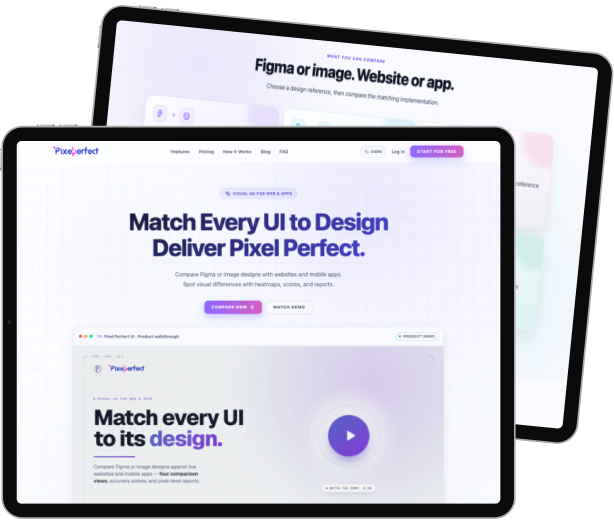
PPU is a tool that checks whether a developed website matches its intended design, pixel by pixel, so teams don’t have to check it by eye.
Project Overview
Many development teams struggle to catch visual differences between a live website and its original Figma design. Small gaps in spacing, color, typography, or layout are common. These issues are often missed until final review, after most of the development work is already done.
Vivasoft experienced this challenge in its own development workflow. Comparing a live website with a Figma design manually took time and often required designers and developers to go back and forth over small visual differences.
That gap in the workflow is why the team developed PixelPerfectUI (PPU), an internal tool that automatically compares live websites with their Figma designs. The tool identifies visual differences in areas such as color, typography, layout, and pixel-level rendering.
With PPU in place, QA engineers catch design inconsistencies instantly, saving hours of manual QA work and giving designers and developers a shared source of truth.
Technologies Used
Python
TypeScript
FastAPI
React
TailwindCSS
PostgreSQL
SQLite
Docker
NGINX
Playwright
Redis
Figma API
JWT
Challenges Faced by Vivasoft
Building PPU required solving several technical problems at once. The team had to design a secure, accurate, and scalable comparison engine from the ground up. Here are the some challenges the development team faced while building PPU:
1. Figma OAuth and Token Security
2. Building an Accurate Comparison Engine
3. Real-Time Progress and Responsiveness
4. Cross-Platform Deployment
PPU needed to run consistently across development and deployment environments. Vivasoft used Docker containers and cloud infrastructure to make deployment more predictable and easier to manage.
5. Database Migration for Scalability
The project initially used SQLite, but as the application evolved, the team moved to PostgreSQL. The migration provided a stronger foundation for handling growing amounts of comparison data and application activity.
Solutions by Vivasoft
Vivasoft addressed each challenge with a focused technical solution. Together, these solutions turned PPU into a reliable, secure, and fast comparison tool. Here are the solutions Vivasoft implemented to address these challenges during development:
1. FastAPI Backend and Comparison Engine
2. React Frontend with Real-Time Tracking
3. Secure Access via OAuth and OTP
Vivasoft secured the platform with Figma OAuth and email OTP verification. This protected sensitive design data. It also kept the login process smooth, so security never slowed down the workflow.
4. Reporting and History Tracking
Outcomes of the Project
PPU has become part of Vivasoft’s regular workflow since its internal launch, and that continued use shaped its next phase of growth. Here are the key outcomes achieved through the development and continued use of PPU:
Adopted as a Standing Workflow Tool
QA engineers now run PPU on each project before sign-off, in place of manually checking the live build against the Figma file. It did not stay a one-time build. It became a tool the team returns to on every project.
Faster Design QA Cycles
Before PPU, QA engineers manually compared builds to designs, which took hours, now PPU runs the same comparison automatically and flags color, spacing, and typography issues within seconds.
Stronger Cross-Team Visibility
Developers and designers used to disagree on whether a difference mattered, each judging from their own view. PPU gives both the same flagged output, reducing debate over what counts as a bug.
Foundation for Growth
After several months of internal use, Vivasoft decided to develop PPU further rather than treat it as a finished internal tool. The roadmap now includes payment integration, an admin panel, and a public portfolio site.
Team Involvement
| Resources | Count |
|---|---|
| QA Engineer | 2 |
| Software Engineer | 1 |
Core Features of the Software
PPU is developed around one core job: catching the gap between a Figma design and the live website. The features below work together to make that comparison fast, secure, and easy to act on.
Pixel-Level Visual Comparison
The comparison engine analyzes the rendered website against the corresponding Figma design to identify differences in pixels, colors, layout, and typography.
Real-Time Progress Updates
WebSocket-based progress updates allow users to monitor an active comparison while it is being processed.
Figma OAuth Integration
Multi-Viewport Comparison
PDF and HTML Reports
Comparison results can be exported as PDF or HTML reports for documentation, review, and sharing.
Comparison History and Job Management
Development Timeline
Project Start Time
Jan 2026
Project End time
Ongoing










Ready to Build a Precision Tool of Your Own?